
 Sign in with Telegram
6 Reasons Creators Keep Payouts in Own Stripe
Why Telegram membership payments should land in your own Stripe account: payout control, customer of record, refunds, taxes, and no platform-held balance.

Creators ask for one thing when they sell Telegram VIP access: payments go to my own Stripe account, not into a platform balance that pays out later. That is not a branding preference. It changes who holds cash, who appears on the customer's statement trail, and who you open when a refund or tax question shows up.
Here are six concrete reasons creators keep payouts on their own Stripe account when they run paid Telegram memberships.
Key takeaways
- Stripe Connect is built so platforms can route charges for connected accounts that belong to the seller.
- With MemberPilot, card sales settle to your connected Stripe account. MemberPilot never holds creator revenue.
- You keep Stripe's payout schedule, refunds desk, and reporting surface instead of learning a second wallet.
- There is no monthly MemberPilot fee; customers pay a 5% service fee at checkout.
1. Sales land in your balance, not a middleman wallet
Platform wallets feel simple until you need the money. With your own Stripe account connected through Connect, charges increase the connected account balance that Stripe documents for platforms and sellers (account balances). MemberPilot does not keep a creator sales balance and does not sit between you and that payout.
2. Payout timing stays on Stripe's rails
Once funds are in the connected account, payouts to connected accounts follow Stripe's payout configuration, not a custom "we'll send a transfer next Friday" queue inside a membership app. Creators who already run other products on Stripe keep one mental model: Stripe Dashboard for money movement, membership tool for Telegram access.
3. You remain closer to the customer of record
Paid communities create repeat buyers, failed cards, and "why was I charged" emails. When the charge path runs through your connected Stripe account, the payment history lives where your finance habits already are. You are not exporting CSV hope from a vendor wallet every time a member asks for a receipt.
4. Refunds and disputes stay in tools you already trust
Card refunds are handled in your Stripe account. MemberPilot can record them when Stripe reports the refund. That split matters: access automation should not also become your only refund desk. Crypto through NOWPayments or CCPayment is different (treat those as final unless you arrange something manually), which is another reason card volume belongs on Stripe you control.
5. Reporting and tax paperwork do not fork into a second ledger
Creators already reconcile Stripe for courses, consulting, or other SaaS. Adding Telegram VIP as another Connect-powered offer keeps revenue in the same reporting surface instead of inventing a parallel balance inside a bot vendor. Fewer ledgers means fewer "where did March go" nights.
6. Exit risk drops when the payment account is yours
If the membership tool is only the door (invites and removals) and Stripe is the cash register, switching access software later does not mean begging for a held balance. Your Stripe account, customer payment methods, and payout bank stay yours. The bot connection can change; the money account does not have to.
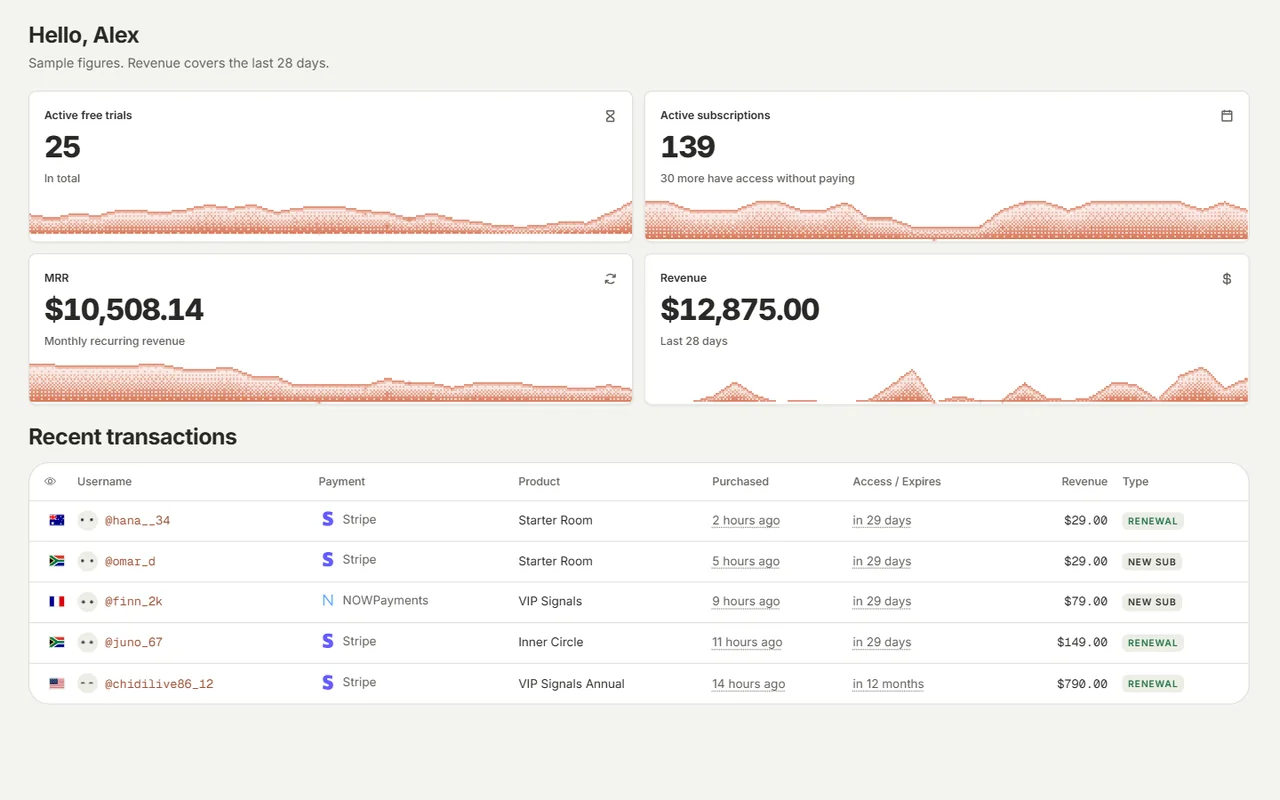
How this looks in MemberPilot
In Payments, you connect Stripe (and optionally NOWPayments or CCPayment for crypto). Card checkouts charge through your connected Stripe account. MemberPilot's job is access: invite after payment, remove on expiry, cancellation, or failed payment once the paid period and any grace you set are done. Creators pay no monthly fee; customers see the 5% service fee at web checkout.
For the Connect setup steps, read How to use Stripe Connect for Telegram memberships. For the full checkout-to-kick flow, see Accept Stripe payments in a Telegram group.
MemberPilot is independent and not affiliated with or endorsed by Telegram.
Keep the cash register in your name
Own the Stripe account. Let the membership tool own the door. That is the whole trust model in one line, and it is why "payments go to my own Stripe account" keeps showing up in creator checklists.
Start for free and connect Stripe when you are ready to charge.
Frequently asked questions
- Do Telegram membership payments go to my own Stripe account?
- With MemberPilot, yes. You connect your own Stripe account through Stripe Connect. Card sales settle to that connected account. MemberPilot never holds your revenue and does not keep a creator sales balance.
- Does MemberPilot pay me out after holding funds?
- No. There is no MemberPilot payout queue for your sales. Stripe pays out from your connected account on Stripe's normal schedule. You manage banks and payout settings in Stripe.
- Who handles card refunds and disputes?
- Card refunds and dispute workflows live in your Stripe account. MemberPilot can record a refund when Stripe reports it. That is different from a platform wallet where you wait on someone else's refund desk.
- Is there a monthly fee to keep my own Stripe connected?
- MemberPilot charges no monthly fee for creators. Customers pay a 5% service fee at checkout on top of your price. Stripe's processing fees are separate and billed by Stripe.
Sources
- Stripe Connect documentation · Stripe
- Payouts to connected accounts · Stripe
- Connect account balances · Stripe